Visual Enhancer combines NVIDIA RTX neural pipelines, DirectX 12 optical-flow effects, ReShade shaders, PyTorch AI restoration models, and 16-bit color grading in a single portable Windows desktop app and scriptable CLI (VE_CLI.exe).
InputDLSS Neural Rendering↔
The comparison preview could not load.
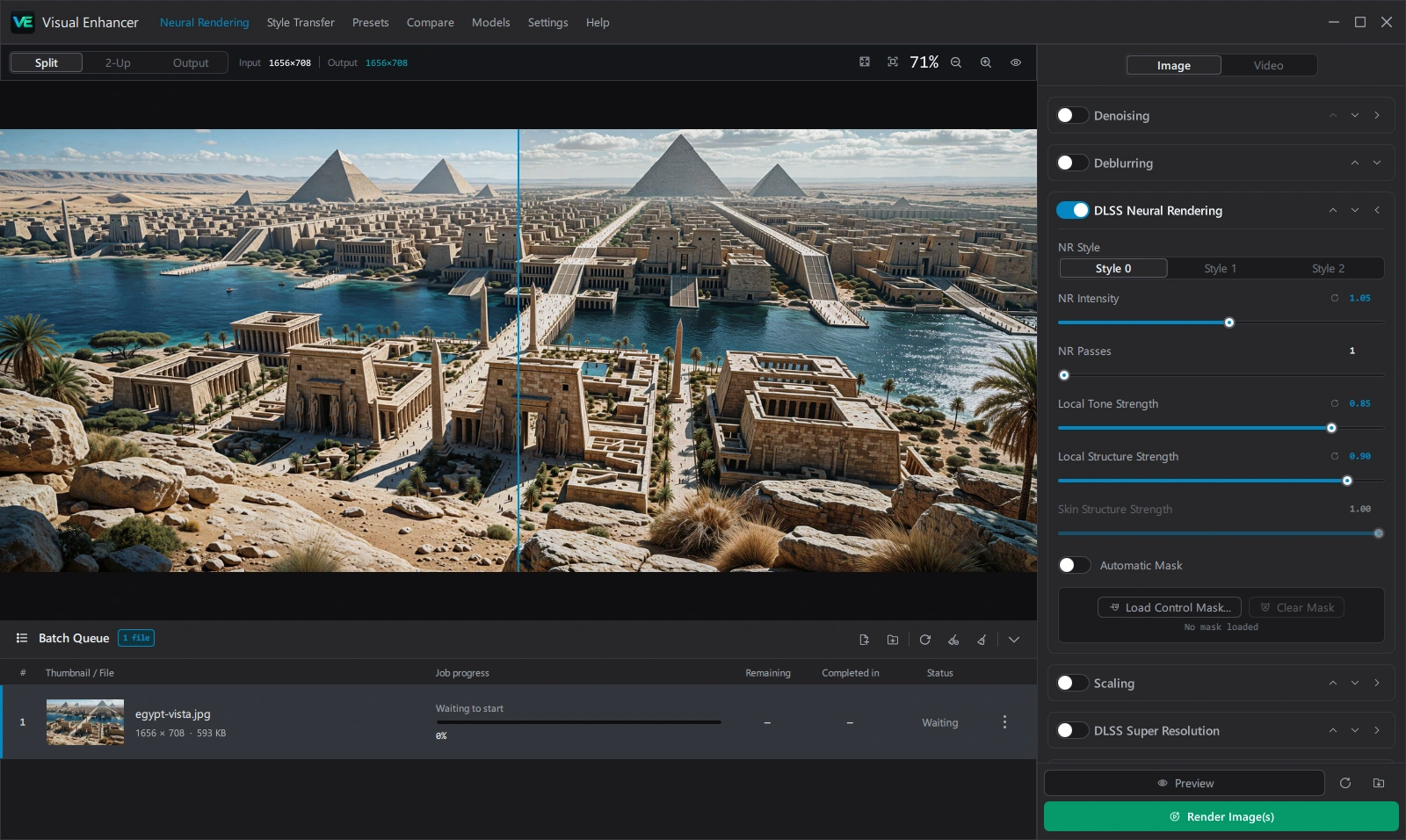
Interactive preview rendered with DLSS Neural Rendering (Style 0, NR Intensity 1.05, 1 Pass, Local Tone 0.85, Local Structure 0.90).
Load media — Drag and drop images or videos, paste files or image URLs with Ctrl+V, or queue entire folders in Neural Rendering (Image or Video mode).
Build your stage stack — Enable and drag-reorder Pipeline cards in the right inspector, or leave every card off for a clean format conversion pass-through.
Preview before rendering — Compare Split, 2-Up, or Output views, drag across the video timeline, or step frame by frame with Left / Right.
Render or automate — Export locally with Render Image(s) / Render Video(s), or export a .json preset for headless batch jobs via VE_CLI.exe.
Quick Start & SetupExtract the portable folder, inspect supported RAW/image/video inputs, verify GPU capabilities, and learn the workspace.
Pipeline StagesUnderstand stage ordering, Denoising, Deblurring, DLSS Neural Rendering, Upscaling, Ray Reconstruction, Frame Generation, ReShade, and Finishing.
Style Transfer & CompareMatch palettes and micro-contrast between frames, export After Effects .ffx presets, and audit renders in Split or Difference modes.
CLI & TroubleshootingAutomate headless batches with VE_CLI.exe, inspect hardware devices, and resolve stage-order or codec constraints.
System Requirements
Check NVIDIA RTX, Windows HAGS, DirectX 12, CUDA / XPU / ROCm NeuroFrame Runtime, and resolution ceilings in System Requirements.
Export & Codecs
Compare 8/16-bit PNG, TIFF, JPEG XL, WebP, AVIF, NVENC, AV1, VP9, ProRes, and FFV1 Lossless RGB in Export & Formats.
 Visual Enhancer